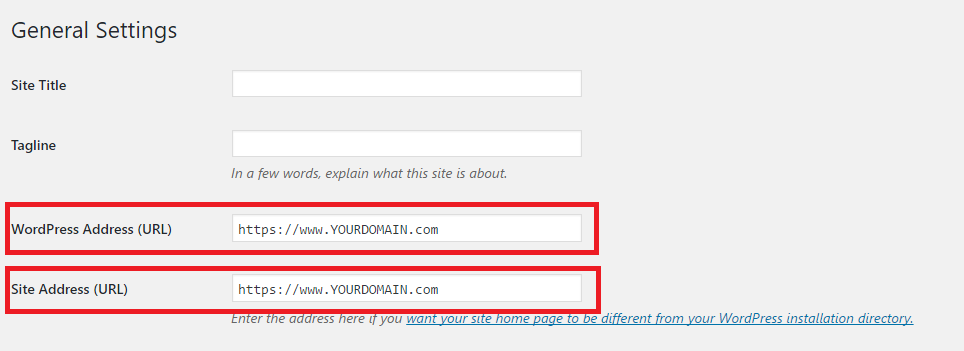
NOTE: Please change YOURDOMAIN.com to user own domain. Example: For serverfreak.com, YOURDOMAIN.com will change to serverfreak.com.
Proceed to clear browser cache and browse the website as the WordPress webpage will automatically redirect with https:// connection page.
NOTE2: User might face "Not Secure" upon redirect to https:// webpage as it may seems there are some image or post link url might still referring to http://. Regarding this issue, user may alias with web developer to check on the connection or may search for WordPress plugins to fix the issue.
NOTE3: Hosting under Linux environment had been enabled with auto-SSL. For user under Windows, user will required to purchase SSL for the hosting.
* Kindly contact our technical support team if your current cPanel hosting plan does not have AutoSSL feature enabled.